财务模型 - 自定义公式

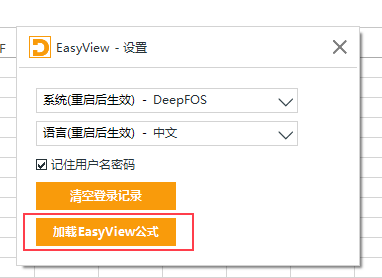
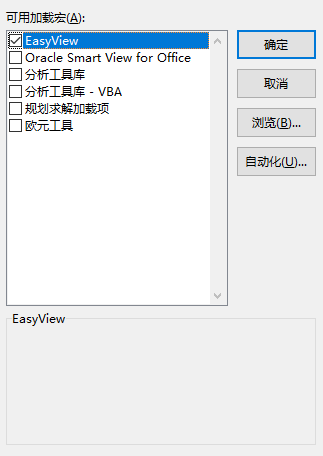
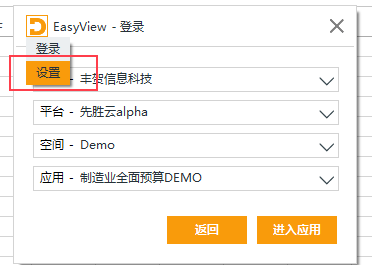
自定义公式默认关闭,如需使用可在登录的设置页中开启,也可以在Excel文件-设置-加载项-Excel加载项中勾选
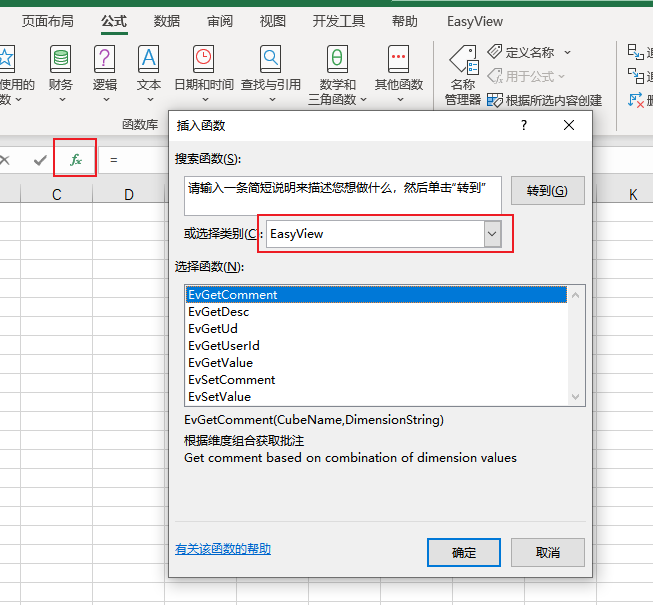
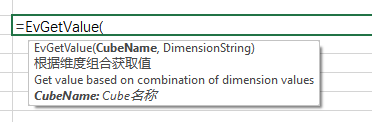
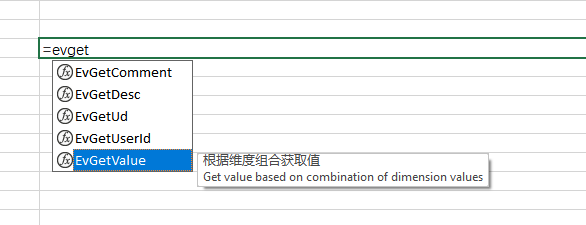
可以使用Excel的”插入函数“功能,也可以在输入公式时的提示获取公式信息
公式名 描述 是否即时获取结果 参数 示例
EvGetValue 根据维度组合获取值 否,需要刷新 CubeName: cube名称
DimensionString: 维度组合
=EvGetValue("bea_budget_cube","Version#Working;LOB#ALCO;Entity#BeaChina;Misc#NoMisc;

View#Periodic;Custom#NoCus;Book#MBook;Product#AA;Account#A0103;Scenario#Forecast6_6;


Year#2020;Period#7;Currency#CNY”)
EvSetValue 根据维度组合设置值 否,需要提交 CubeName: cube名称
value:需要提交的值
DimensionString: 维度组合
=EvSetValue("bea_budget_cube", 100,"Version#Working;LOB#ALCO;Entity#BeaChina;

Misc#NoMisc;View#Periodic;Custom#NoCus;Book#MBook;Product#AA;Account#A0103;


Scenario#Forecast6_6;Year#2020;Period#7;Currency#CNY”)
EvGetComment 根据维度组合获取备注 否,需要刷新 CubeName: cube名称
DimensionString: 维度组合
=EvGetComment("bea_budget_cube","Version#Working;LOB#ALCO;Entity#BeaChina;Misc#NoMisc;

View#Periodic;Custom#NoCus;Book#MBook;Product#AA;Account#A0103;Scenario#Forecast6_6;


Year#2020;Period#7;Currency#CNY”)
EvSetComment 根据维度组合设置备注 否,需要提交 CubeName: cube名称
value:需要提交的值
DimensionString: 维度组合
=EvSetComment("bea_budget_cube","备注","Version#Working;LOB#ALCO;Entity#BeaChina;

Misc#NoMisc;View#Periodic;Custom#NoCus;Book#MBook;Product#AA;Account#A0103;


Scenario#Forecast6_6;Year#2020;Period#7;Currency#CNY”)
EvGetUd 根据维度名、ud名和标签名获取ud值 CubeName: cube名称
DimName: 维度名
UdName: ud编号/名称/描述
Label: 维度成员名称
=EvGetUd("Cube01", "Account", "类型", "BS01 - 应收账款")
EvGetDesc 根据维度名和标签名获取描述 CubeName: cube名称
DimName: 维度名
Label: 维度成员名称
=EvGetDesc("Cube01", "Account", "PL01")
EvGetUserId 获取当前用户id - =EvGetUserId()

设置方法:


在当前工作簿打开任意即席分析页面

打开设置:

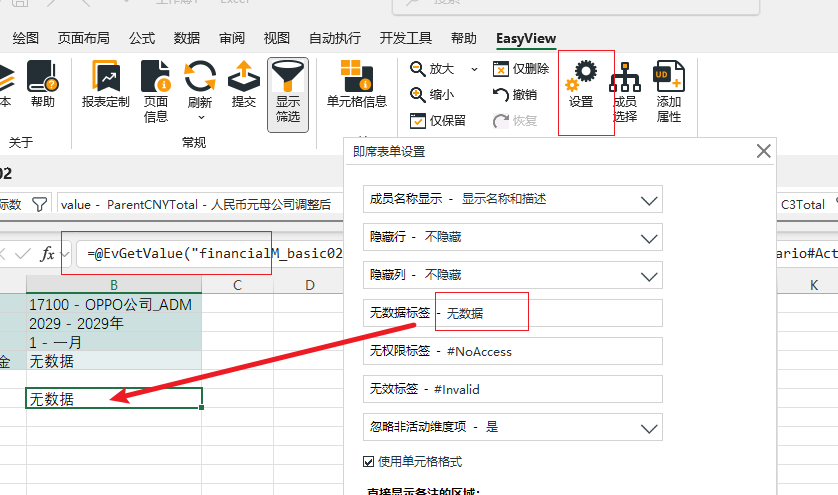
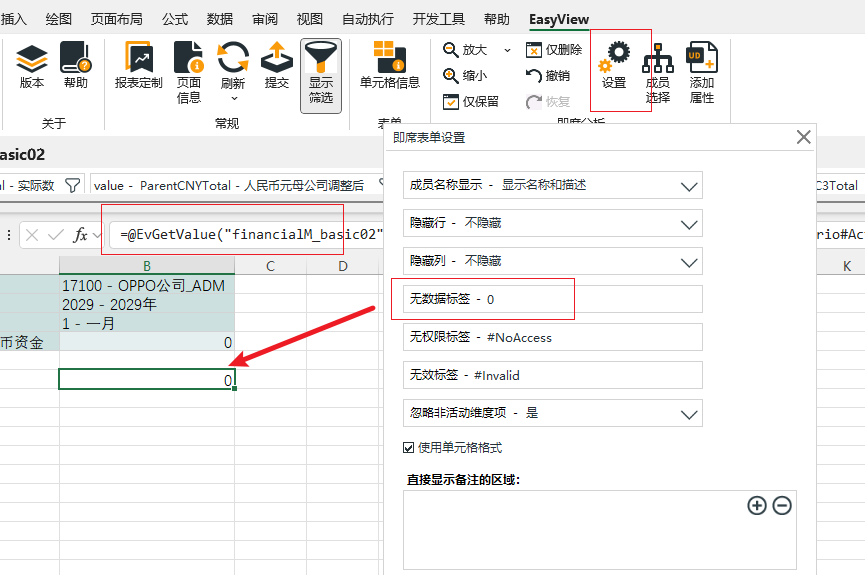
将无数据/无效/无权限标签设置为特定值(如果设置为数值则返回值自动转换为数值格式)

点击确定后保存工作簿,即可对当前工作簿所有自定义公式生效

回到顶部

咨询热线

400-821-9199

我们使用 ChatGPT,基于文档中心的内容以及对话上下文回答您的问题。

ctrl+Enter to send